DISPLAYS ON SITE
1 Display
EMPLOYEES
18
Data sources


1 Licence
One licence per display

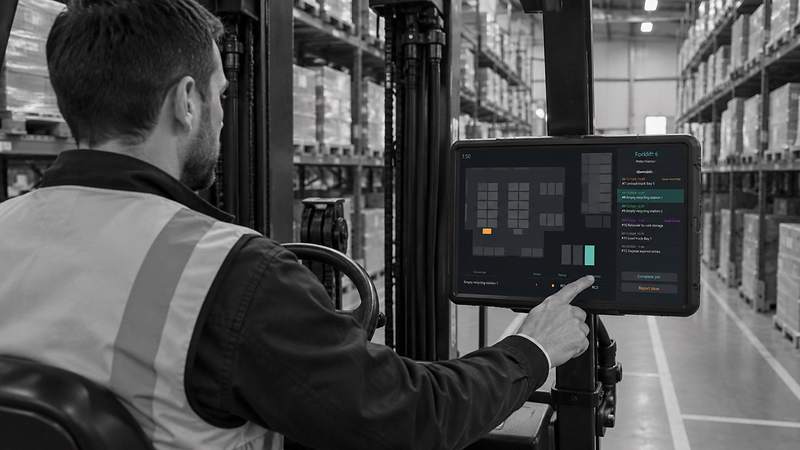
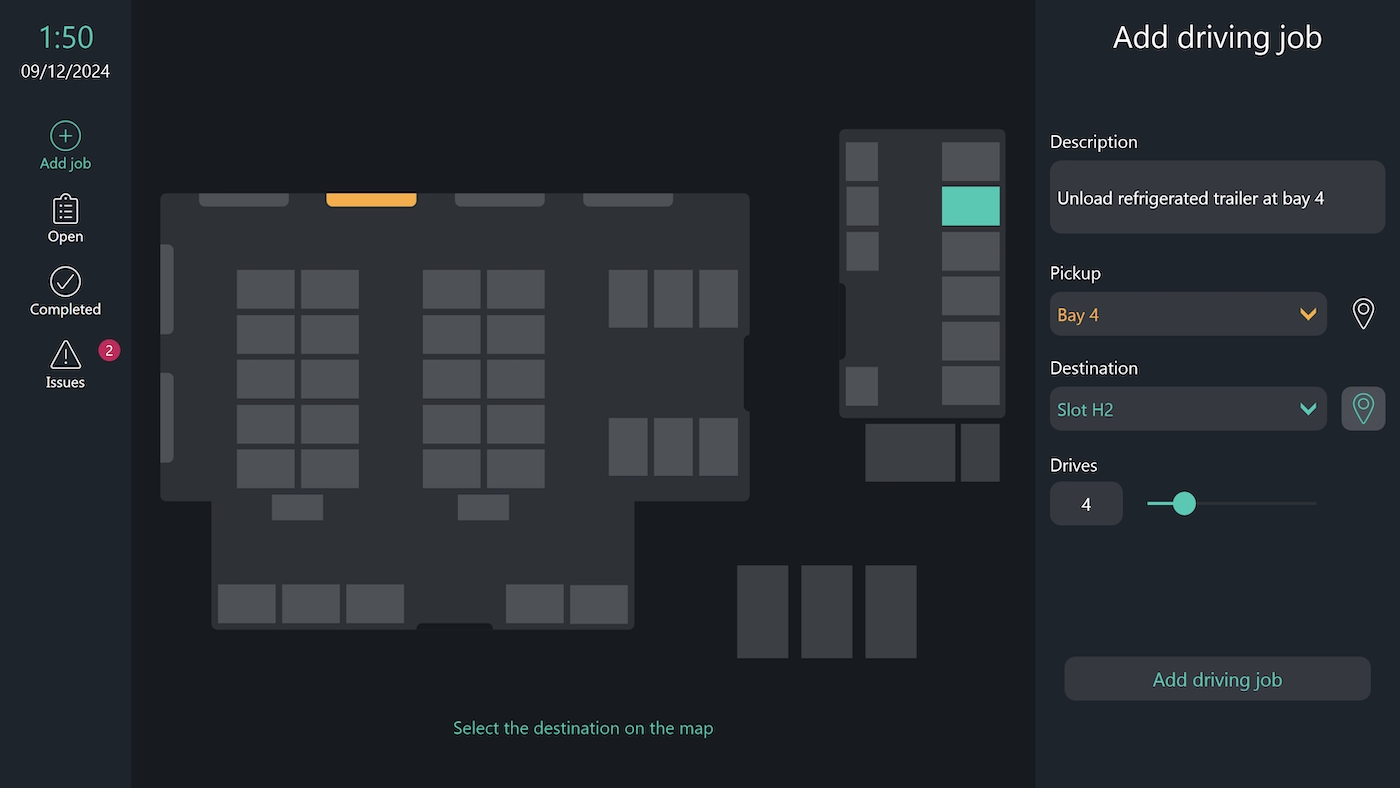
The forklift terminal from Peakboard runs on the touchscreen on the truck. The driver logs in at the vehicle and gets their open transport jobs, with pick-up and destination shown on a map. Once the run is done, they close the job off – with a comment if there's something to note, or as a problem report if something went wrong.


Drivers don't know which job is next.
Pick-up and destination have to be asked for verbally.
If a load isn't where it should be, the warehouse only finds out later.
Native SAP connector, OPC UA, MQTT, and dozens of other sources are available out-of-the-box. You just connect, instead of integrating – and the data appears directly at the shop floor.


%201.svg)


%201.svg)


A different map format, an extra reporting field, a new vehicle class – thanks to Peakboard Building Blocks, our low-code scripting editor, you can adapt the terminal yourself, no coding skills required.
Whether on the Peakboard Box or your own hardware – both run 100% on-prem, with no single point of failure or dependency on US providers.
Device-based pricing instead of user-based licences: one licence per terminal, unlimited users per device. More drivers on the same vehicle cost nothing extra.



Introducing a forklift terminal shouldn't take a year. With Peakboard, you start right away – no appointment, no major IT project.


Start Immediately · No Appointment · Free
If you need support: You'll find tutorials and step-by-step guides on our Helpsite and our YouTube channel. For individual needs, we offer workshops and consulting.
In conversation · With experts · 55 min.
Discuss your specific use case with an expert – briefly provide information about your use case beforehand, and we'll get straight to the point.
You'll get a complete overview of all features and see what's possible with Peakboard in your environment.

The forklift terminal adds the driver's view directly on the forklift to your driving order planning. New orders are created in the forklift dispatch system and appear on the terminal right away.
Drivers log in directly on the forklift's touchscreen and immediately see a clear list of their open driving orders.
The terminal shows pickup and destination graphically on a map, so drivers can orient themselves instantly without asking.
Once finished, the driver completes the order directly on the terminal and can add a comment. Issues can be reported just as easily.
New driving orders are created in the forklift dispatch system and appear automatically on the terminal of the assigned vehicle.
Yes. All scripts in this template were built with Peakboard Building Blocks, our low-code scripting editor – customisation requires no coding skills.
Peakboard runs entirely on-premises on your own network – job data never leaves the company. There's no cloud requirement and no dependency on US-based infrastructure providers – 100% GDPR-compliant.