Industrial Vibe Coding: What Generic AI App Builders Miss on the Shop Floor
You can prompt a shop-floor app into being today – but will it hold up across shifts, on the plant network and for years? Why Peakboard's industrial vibe coding holds exactly where a generic AI web app gives up.
15.06.2026
·
7 min read
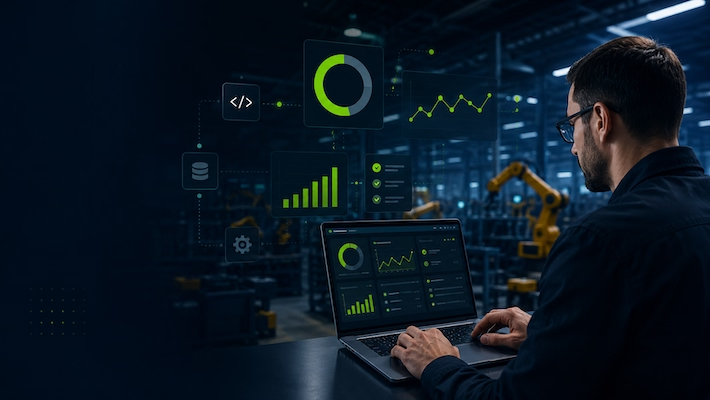
- The question is not whether AI can build an app, but whether it holds up across shifts, on the plant network and for years.
- Industrial protocols (OPC UA, S7, Modbus, SAP RFC, MQTT) and workplace hardware are built into Peakboard – generic tools need fragile in-between layers.
- On-premises, continuous operation and a maintainable project instead of cloud lock-in, the browser lifecycle and a black box.
- One license instead of a per-app bill – predictable cost and an artifact IT already knows.
You can prompt a working app into existence in minutes today – no programming required. For marketing pages and internal tools, that is brilliant. For the production line, a different question matters: not whether AI can build it, but whether the result holds up across shifts, on the plant network and for years. That is where a generic AI web-app generator parts ways with Peakboard's industrial vibe coding – and the difference decides whether your quick prototype becomes a dependable part of the line or a maintenance case.
The decision is not AI or no AI
Tools like v0, Lovable, Bolt or Claude Code are impressive – and yes, in Peakboard you also describe what you need in a prompt and get a finished project. AI-assisted building is not the opposite of Peakboard; it is already part of it. The real question is not whether AI can generate an app, but whether you reach for a general-purpose generator built for websites or a tool built for the plant. In day-to-day operation, that shows up in eight places.
Data: the factory floor does not speak HTTP
The benefit: your data reaches the screen without a fragile in-between layer – and stays connected even when the machine restarts.
Ask a generic AI for a dashboard and it reaches for what it knows: an HTTP endpoint returning tidy JSON. The pattern sits so deep that almost any data prompt ends as a fetch() call against a freshly invented schema. Production works differently: a PLC returns binary values from specific data blocks over OPC UA, S7 or Modbus and expects a long-lived session with subscriptions rather than polling. SAP comes with RFC and nested tables; an MQTT broker with QoS levels, retained messages and last-will payloads – none of which fit the request-response shape web tooling assumes. Hand that to a general-purpose generator and you get middleware that works in the demo and goes quiet the first time a controller restarts – exactly where nobody on the floor can debug it. Peakboard ships OPC UA, MQTT, SAP RFC, S7, Modbus, SQL and many more data connections as part of the product, with session handling, reconnect logic and type mapping already solved. The AI connects existing tags instead of gluing SDK code together.
Hardware at the workplace, not browser gymnastics
The benefit: scanners, printers and buttons just work – no improvised bridge that breaks at the next update.
A Peakboard application runs right at the workplace – on the Box at the line or the tablet in someone's hand. Because it executes locally, it reaches the devices that are already there: scanners, RFID and NFC readers, foot switches, buttons, andon lamps, label printers, the tablet camera. Add the device as a data source, drag it onto the screen, done. A generated web app could reach some of that at best through WebUSB, WebHID or WebSerial – with browser-version quirks, per-profile permission prompts, exotic devices with no web API at all, and drivers that the next kiosk update breaks. The usual workaround is a native helper service the web app talks to over a local socket – precisely the extra moving part vibe coding was meant to remove.
Continuous operation, not a tab lifecycle
The benefit: the screen at the line runs for months and shows data again the instant the network recovers.
A Peakboard project runs on a runtime nobody closes: the Peakboard Box boots straight into the application, renders full-screen with no browser frame, catches its own errors and runs for months. When the network drops for a moment – and on a plant floor it will – the last state stays on screen and the connection returns on its own. A vibe-coded web app inherits the whole browser lifecycle instead: updates, extensions, memory leaks, the accidental reload mid-shift, the loading spinner when the cloud backend is briefly unreachable. Perfectly fine for a colleague glancing at a laptop twice a day. Wrong for the screen at a loading bay that has to be readable at 6 a.m. after a power blip.
Production stays on-premises
The benefit: your machine data never leaves the plant – and the solution clears every security review.
The convenient path of generic tools ends in the public cloud: a public database, a public URL, often the development environment online too. In many plants that is out from the start – cloud contact from production is either unwanted or only allowed through tightly audited gateways that a fully cloud-hosted vibe environment will not clear. Peakboard runs on-premises on the Box, talks to the local PLC over OPC UA on the local network, and only reaches out when the project explicitly says so. The prompting itself happens in the local Designer, against the local project. Nothing leaves the plant unless you deliberately choose it.
No stack for IT to maintain
The benefit: one well-known artifact per Box instead of a second full-time job for IT – per screen.
When the vibe-coding session ends, a generic tool leaves you not just an app but a whole stack: a Node or Next.js runtime, a database the AI invented, hosting, an SSL certificate, an auth layer, secrets to rotate, a CI pipeline and an npm dependency tree wanting patches every few weeks – per screen. Acceptable for a single marketing site with a small ops team. A second full-time job for a fleet of industrial applications the plant IT team has to live with. Peakboard is a single application on the Box: updates are handled by Peakboard, the connectors are part of the product, there is no bespoke database to back up, no certificate per app, no Node version to chase. IT gets one well-known artifact to manage – however many lines, terminals or dashboards the teams prompt into existence.
No black box – maintainable for years
The benefit: your team keeps developing the application – long after the first prompt and through staff changes.
What a generic tool actually produces becomes clear once you stop looking at the pretty preview: a pile of generated React components, ad-hoc state management, hand-rolled API routes and a database schema invented on the fly. Fine for a throwaway demo. For an application that runs a line for four years it is a liability – often only the person who wrote the original prompt can change it, because the context lives in the prompt history, not in the code. Industrial applications cannot afford that: they are touched by different engineers, survive personnel changes and get adjusted as the line changes. With Peakboard the output is an ordinary Peakboard project – every variable, screen, data source and script identical to one built by hand. Moving between AI-generated and manual work is a non-event: prompt a feature, open the screen, adjust it in the Peakboard Designer, write a script yourself where that is faster, then ask for the next change.
One license, not a per-app cloud bill
The benefit: predictable cost – an extra screen does not trigger a new monthly invoice.
The cost of generic tools usually surfaces a few months after the demo. Every app needs hosting, the database has to live somewhere, the AI service meters its API calls, the auth provider charges per active user, monitoring is its own line item – and the total grows with every line, screen and plant. Peakboard runs under a license you already own, with connectors, Designer, runtime and AI assistance included. A second OEE screen on the same line, a third terminal next door, a fourth board for the morning meeting trigger no new monthly invoice. Across fifty screens in three plants, the gap between a flat license and a per-app cloud subscription stops being a rounding error fast.
Conclusion
Generic generators are brilliant at what they are for: short-lived apps in a browser tab. Manufacturing asks different questions – of data, devices, continuous operation, data sovereignty, maintainability and cost. Peakboard's vibe coding is built for exactly those questions: you keep the speed of AI but get a result that holds up across shifts, stays on the plant network and is still easy to change four years from now. AI does not replace Peakboard – it makes Peakboard faster.
AI on the factory floor
See industrial vibe coding in action
Watch a prompt turn into a working Peakboard project – running locally at the line.

Can I just prompt shop floor apps with AI?
Technically yes, but a generic web app runs in a browser tab and fits the factory floor poorly. Peakboard runs locally at the line, connects industrial protocols directly and stays maintainable.
Does a generic AI app speak OPC UA or SAP?
Usually only through hand-built middleware that goes silent at the first PLC restart. Peakboard ships OPC UA, S7, Modbus, MQTT, SAP and SQL as part of the product.
Does Peakboard itself use AI?
Yes. You describe what you need in a prompt and get an ordinary Peakboard project that your team can keep editing in the Designer.