
DISPLAYS ON SITE
1 Display
EMPLOYEES
18
Data sources


1 Licence
One licence per display

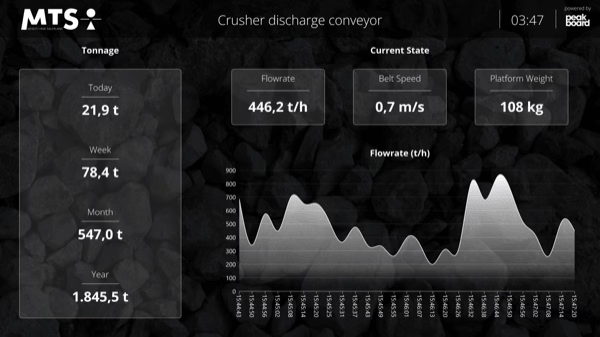
Conveyor scale monitoring keeps throughput, belt speed and weights in view at all times. With Peakboard, you visualise your conveyor scale data clearly, spot trends and deviations instantly and make better decisions during operation – with no programming required.


Throughput volumes are not visible in real time.
Fluctuations or faults are detected too late.
Historical data is hard to access – decisions are often based on delayed information.
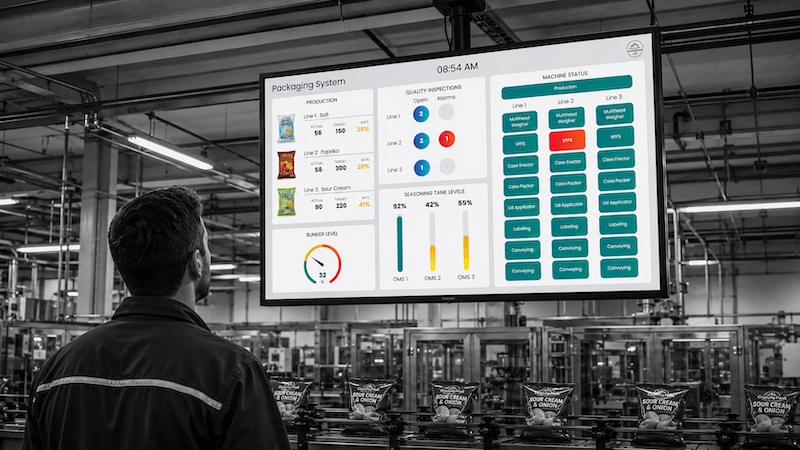
Native SAP connector, OPC UA, MQTT, and dozens of other sources are available out-of-the-box. You just connect, instead of integrating – and the data appears directly at the shop floor.


%201.svg)


%201.svg)


A new belt scale, a different metric, an extra conveyor belt – thanks to the low-code editor and Peakbot, you can adapt conveyor scale monitoring yourself, without programming skills.
Whether on the Peakboard Box or your own hardware – both run 100% on-prem, with no single point of failure or dependency on US providers.
Device-based pricing instead of user-based licences: one licence per display, unlimited users per device. More employees on the same display cost nothing extra.



Introducing conveyor scale monitoring shouldn't take a year. With Peakboard, you start immediately – no appointment, no major IT project.

Start Immediately · No Appointment · Free
If you need support: You'll find tutorials and step-by-step guides on our Helpsite and our YouTube channel. For individual needs, we offer workshops and consulting.
In conversation · With experts · 55 min.
Discuss your specific use case with an expert – briefly provide information about your use case beforehand, and we'll get straight to the point.
You'll get a complete overview of all features and see what's possible with Peakboard in your environment.

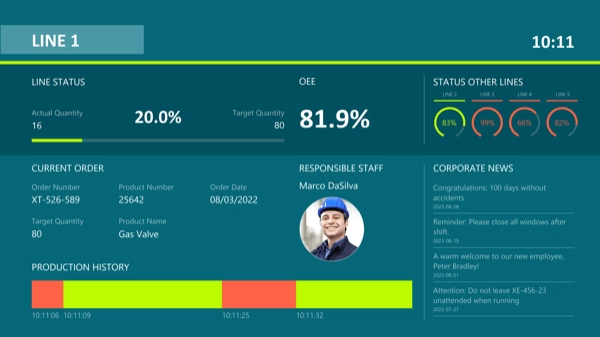
This template combines live data with historical evaluations and makes funding processes immediately understandable.
Monitoring conveyor scales creates transparency about ongoing conveyor processes and helps to identify deviations at an early stage.
The template bundles all relevant key figures and presents them clearly for operational use.
Peakboard connects directly to the belt scale and processes the data for visualisation in real time.
With Peakboard, individual monitoring solutions can be quickly implemented and flexibly expanded.