DISPLAYS ON SITE
1 Display
EMPLOYEES
18
Data sources


1 License
One license per display

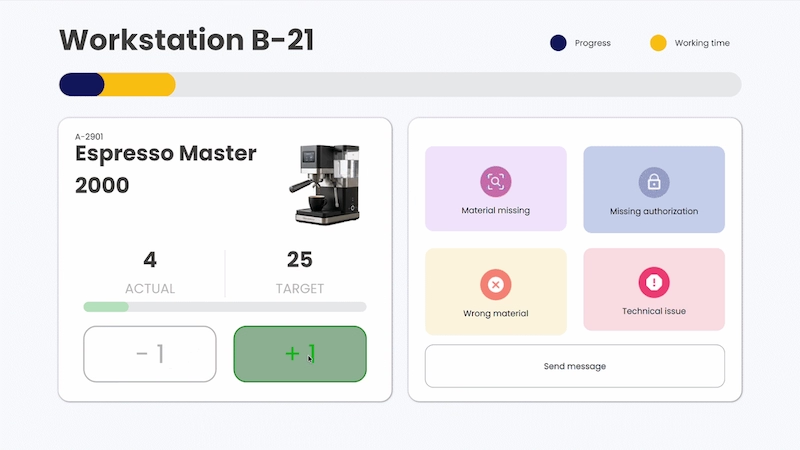
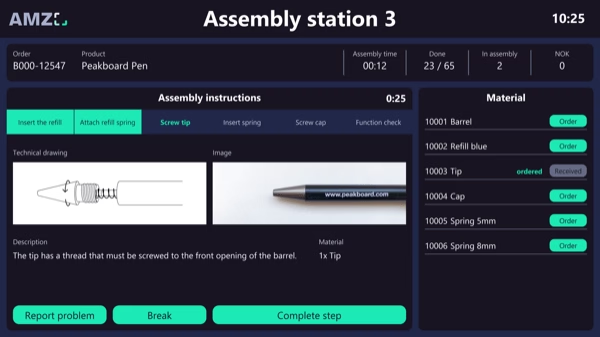
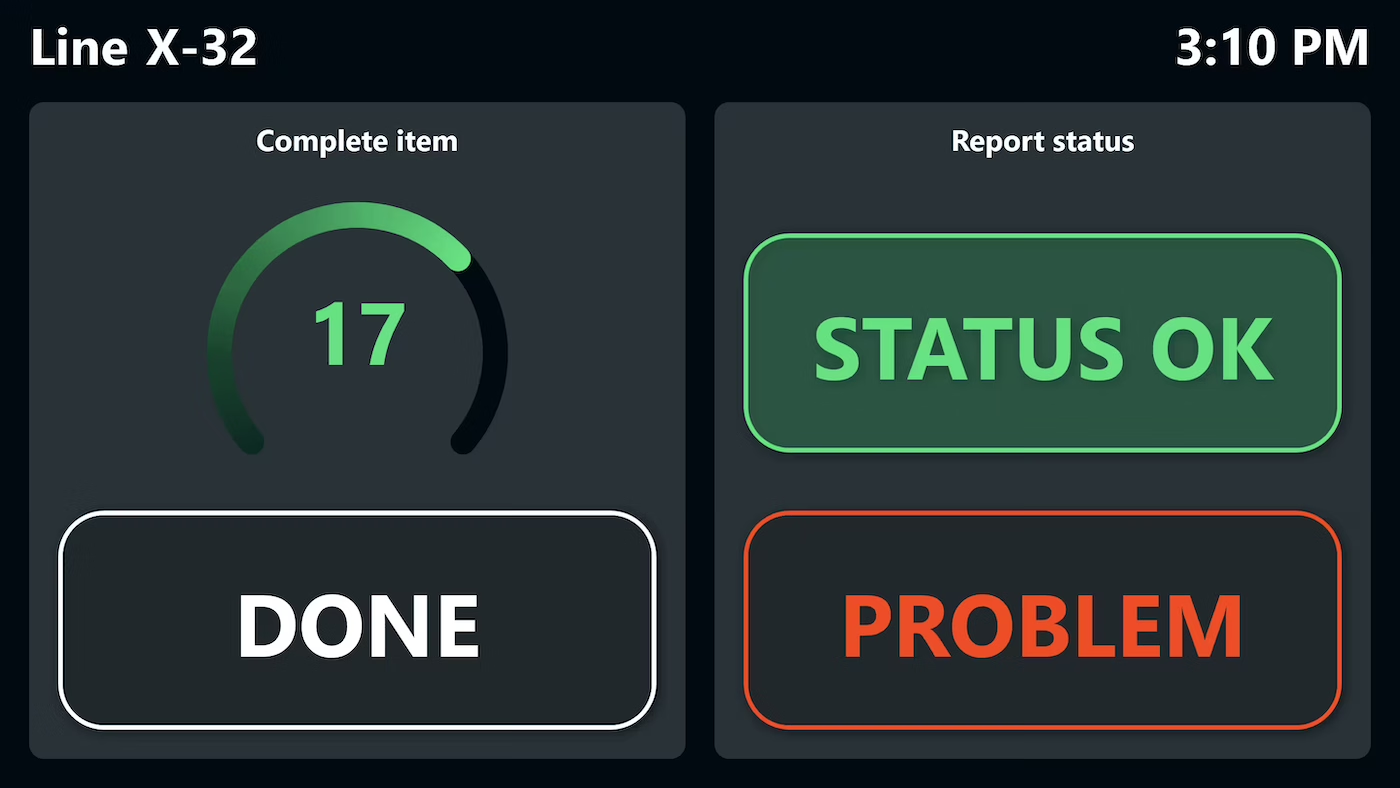
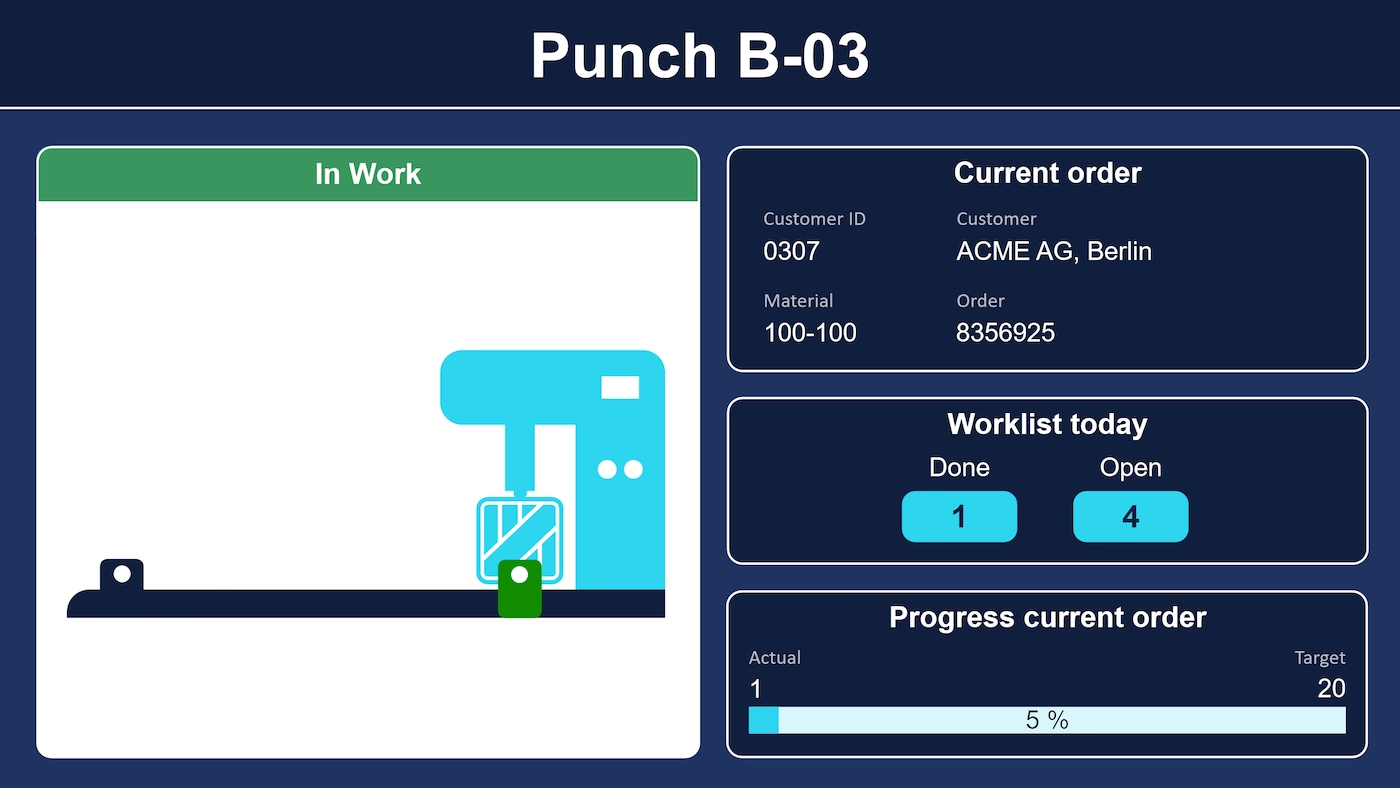
The worker touch HMI from Peakboard runs at the workstation: pick the order, the clock starts from there, and every finished part gets one tap. The HMI is wired straight to the controller. If material is missing or something goes wrong, it is reported in the same place – by email or Microsoft Teams.


Piece counts get recorded on paper or in a spreadsheet afterward.
How long an order has been running is something everyone works out for themselves.
Issues only get reported after the shift, instead of directly at the workstation.

Native SAP connector, OPC UA, MQTT, and dozens of other sources are available out-of-the-box. You just connect, instead of integrating – and the data appears directly at the shop floor.


%201.svg)


%201.svg)


A different order format, a new report category, an extra workstation – thanks to the low-code editor and Peakbot, you can adapt the HMI yourself, no coding skills required.
Whether on the Peakboard Box or your own hardware – both run 100% on-prem, with no single point of failure and no cloud dependency.
Device-based pricing instead of user-based licenses: one license per display, unlimited users per device. More staff on the same display cost nothing extra.



Introducing a worker HMI shouldn't take a year. With Peakboard, you start right away – no appointment, no major IT project.



Start Immediately · No Appointment · Free
If you need support: You'll find tutorials and step-by-step guides on our Helpsite and our YouTube channel. For individual needs, we offer workshops and consulting.
In conversation · With experts · 55 min.
Discuss your specific use case with an expert – briefly provide information about your use case beforehand, and we'll get straight to the point.
You'll get a complete overview of all features and see what's possible with Peakboard in your environment.

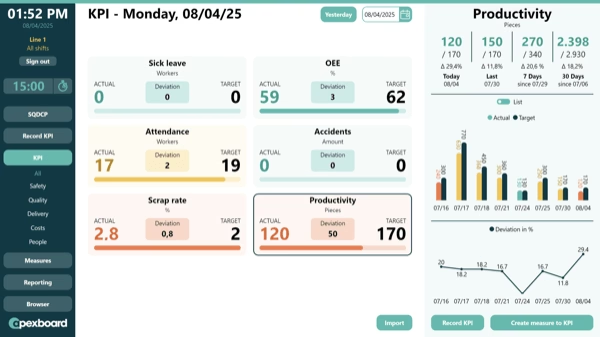
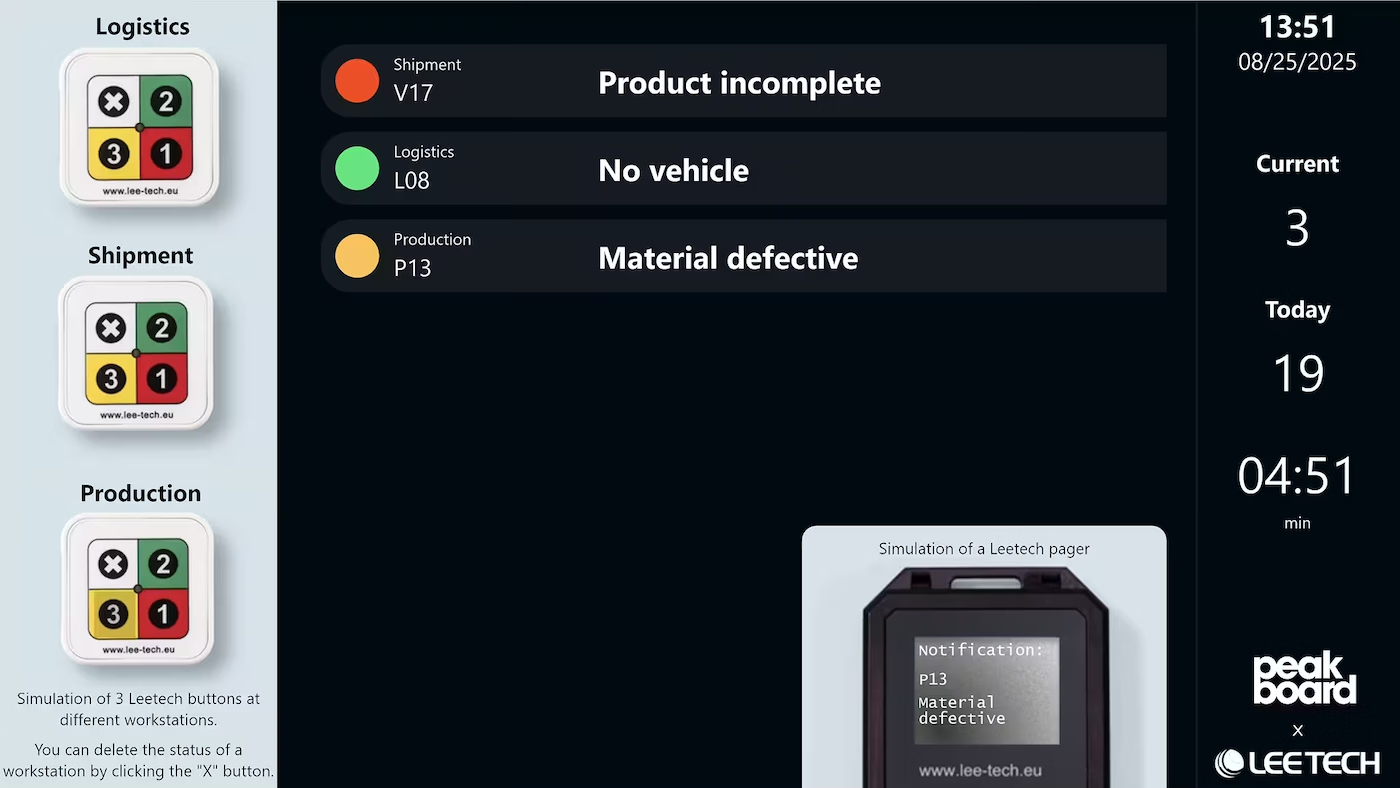
The worker HMI is one half of a two-screen solution: at the workstation, orders are controlled and issues reported; on the central overview, these reports appear live as a color-coded alarm.
You select an order on the touchscreen and time tracking starts automatically. Each finished part is logged with a simple tap, and work time and progress are shown graphically.
Yes. Workers can alert supervisors about missing materials or issues, including custom messages sent via email or Microsoft Teams.
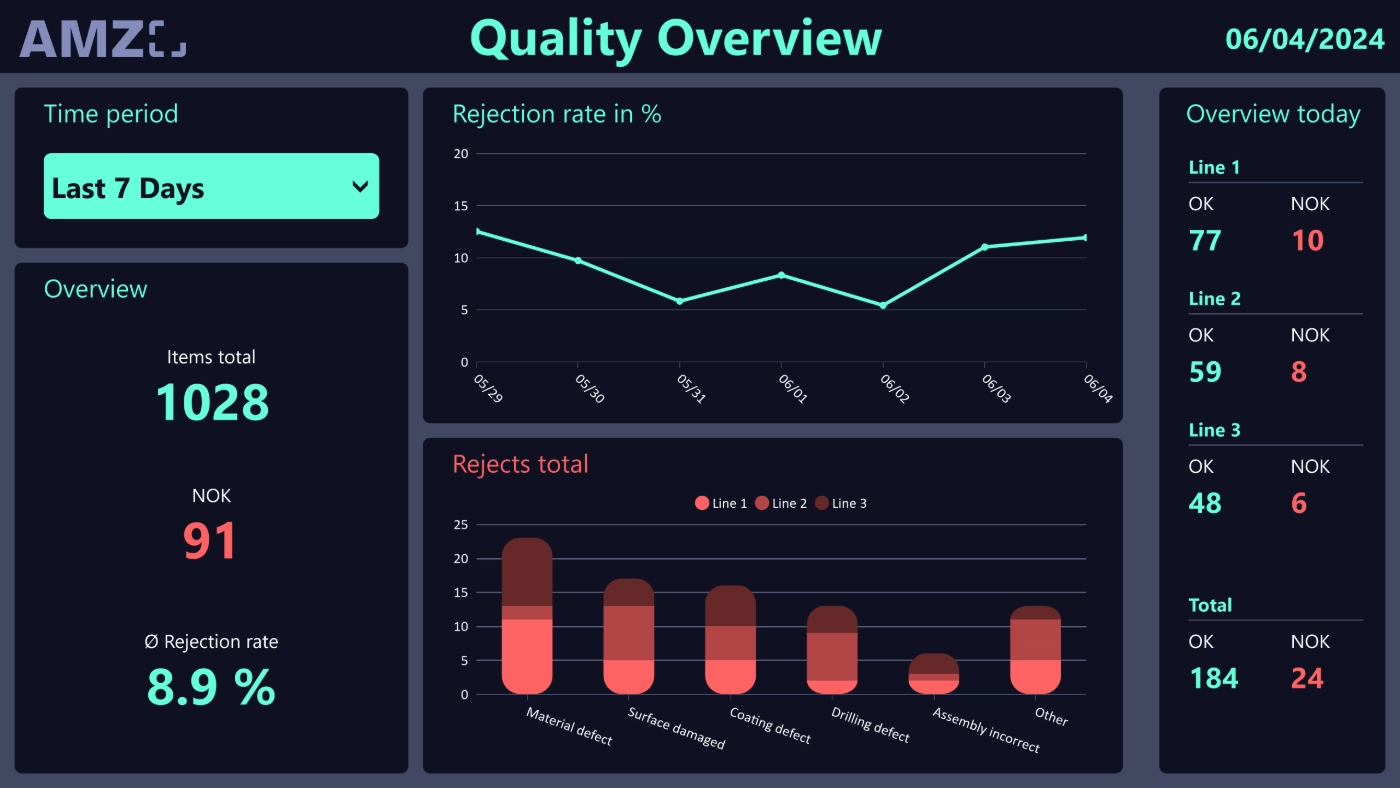
It monitors all workstations at a glance and instantly flags any workstation with a problem, alongside current orders, working time, and worker statistics.
The worker HMI forms a two-screen solution together with the central overview. Reports from the workstation appear live on the overview for area managers.
Yes. Peakboard is a low-code platform: you change layout, order logic, and alerting by drag-and-drop in the Peakboard Designer.
Peakboard runs entirely on-premises on your own network – production data never leaves your company. There's no cloud requirement, no single point of failure, and you keep full control over your infrastructure.